
How do I upload Lag Time to Walmart in bulk?
Once you have your products listed on Walmart Marketplace, you are going to start receiving orders. You may see ship times that are very soon after you receive the order. Many of our clients have said that Walmart expects them to ship items sometimes the same day to comply with their shipping lag time rules. For that reason, you may want to change the lag time (lead time) for your products to a higher number.
Bulk Uploading Lag Time By Spreadsheet
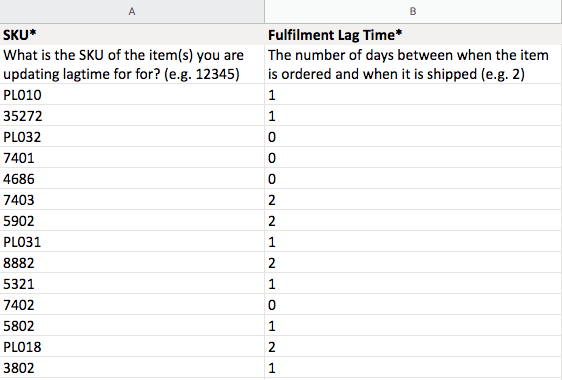
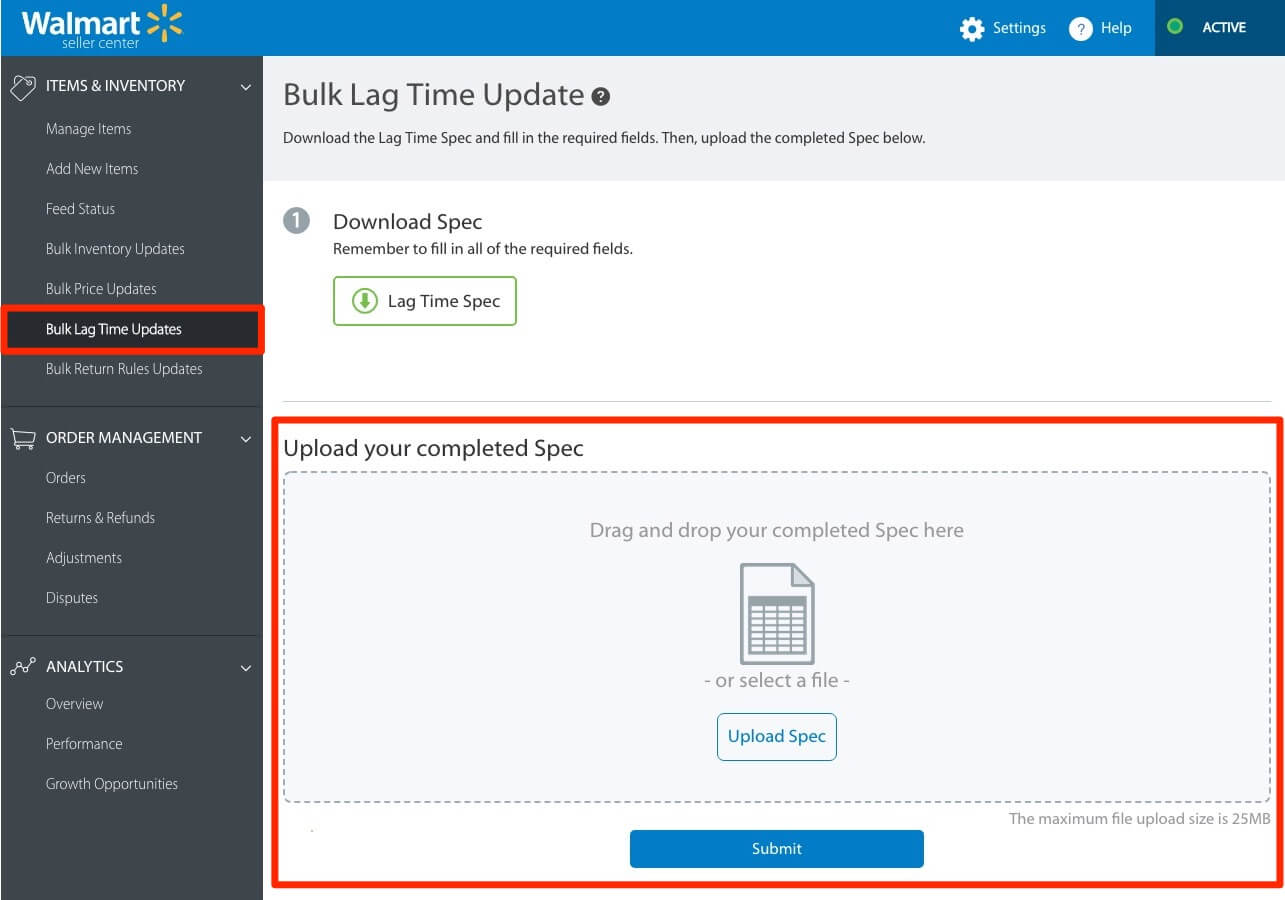
Ongoing updates are easy to upload using a spreadsheet, and that is the method we use after we upload your products to Walmart Marketplace (with our Walmart Marketplace Bulk Product Uploading Service). We can even create a lag time file for you so that you're ready to make edits and upload quickly. When in Walmart Seller Center, head over to the left navigation and click "Bulk Lag Time Updates." The spreadsheet that Walmart allows you to download is a simple two header file where you have “SKU*” and “Fulfilment Lag Time*” columns.

Submitting Bulk Lag Time File In Walmart Seller Center
Once your file is ready with SKU and the Lag Time, you can drop the file into the bulk Lag Time updates area and hit submit. Walmart will match the SKU and add the new lag time value to each of the products you submit.
During Your Project With Us
If you have a project with Pelican Commerce, then we handle this process for you at the end of the uploading project. You can specify what number you want to be added to your products, and we'll update the file and upload it for you. Some things to know about Lag Time updates... Walmart's default value, if nothing is submitted, is 0, which means same-day shipping if before the daily cut off time. If you put 1, then that gives you an extra 24 hours to ship the product out. Adding anything two and higher requires a special request from Walmart with a reason why your lead time is above their usual standard time frames. So keep this in mind when deciding on a number. Most sellers put 0-day or 1-day, and if they choose on 2-day or above without permission, then the system will keep the 0-day default.
If you have any questions about our Walmart Bulk Product Uploading Service, then reach out to us anytime.